
Smart Home
Apple Home Camera AI Search: Requirements and Limits in 2026
Apple says smarter Home camera summaries and clip search are coming. Here are the device, hub, iCloud+, and privacy limits to check first.
Last updated June 12, 2026. Source check: Apple’s Apple Intelligence page, Home app page, iCloud+ plan page, and Apple Support home hub article were reviewed for this draft on the date above.
Apple is adding smarter camera features to the Home app, but the useful question is not just “does Apple have AI for cameras now?”
It is:
What exact device, home hub, camera, and iCloud+ gates apply before this becomes a real household workflow?
As of June 12, 2026, Apple’s Apple Intelligence page presents these as announced features coming later in 2026, not as proof that every eligible Apple Home setup can already use them today.
The short version
Apple’s current Apple Intelligence page says the Home app is slated to:
- combine related activity notifications
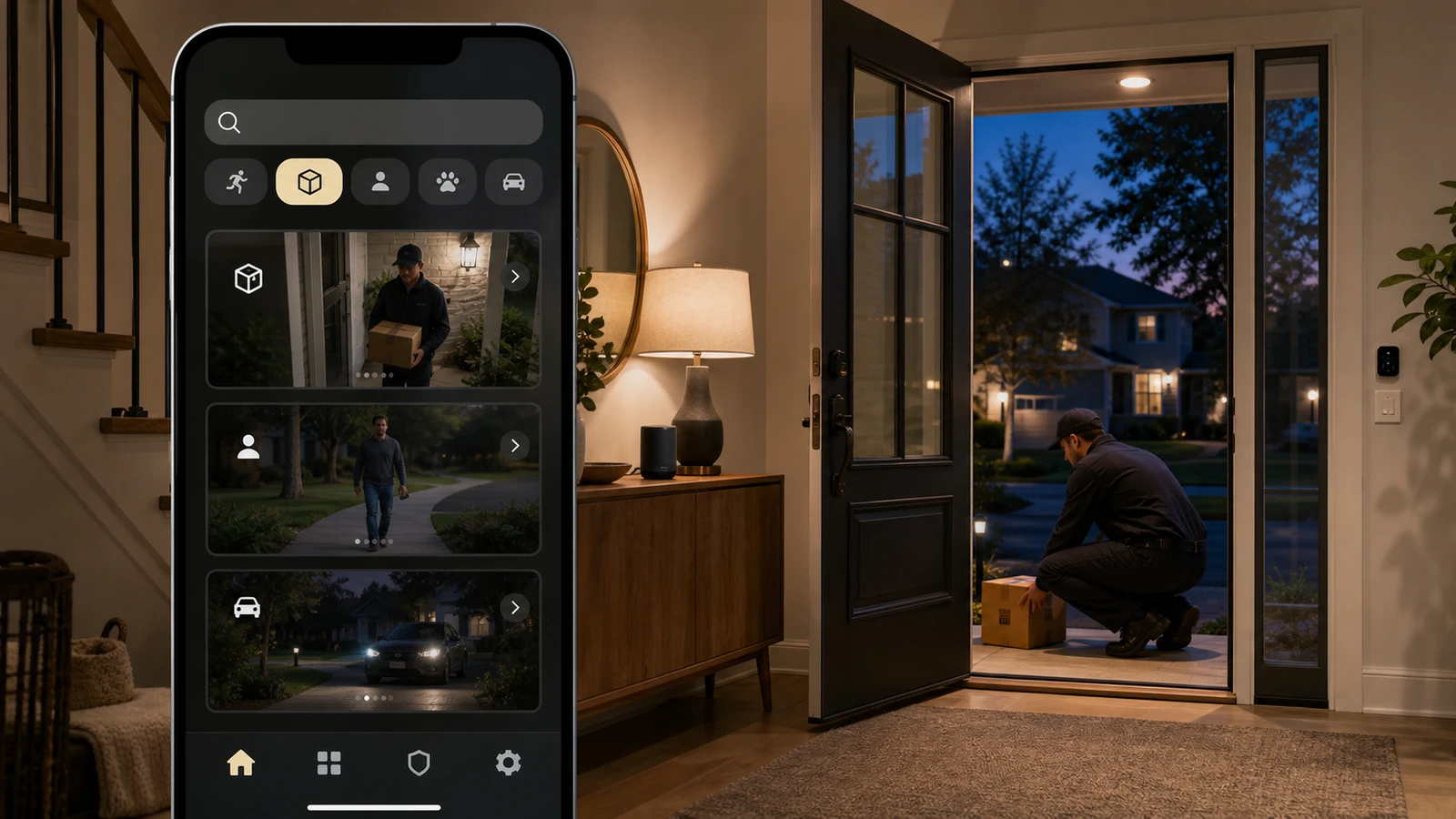
- describe what happened in selected HomeKit Secure Video footage before you watch
- let you search for a clip based on what happened
The same Apple page also says new Apple Intelligence features are coming this fall, so the safer reading is “announced with published prerequisites” rather than “already live for every Apple household.”
For Apple’s current published requirements, these features depend on:
- an Apple Intelligence-enabled device
- a home hub such as HomePod (2nd generation), HomePod mini, or Apple TV 4K with the latest software
- HomeKit Secure Video
- an eligible iCloud+ plan
- compatible camera support inside Apple Home
If any one of those pieces is missing, treat this as an announced capability rather than a dependable daily workflow.
What Apple is actually adding
Apple’s Apple Intelligence page now presents a “Smarter Home” section with three camera-related upgrades:
- bundled activity notifications
- clip descriptions before playback
- AI search for clips based on what happened
That is a meaningful shift because Apple is not just changing the camera view. It is trying to make HomeKit Secure Video footage easier to triage without scrubbing every clip manually. But Apple is still describing this as an upcoming Apple Intelligence feature set, so availability timing and eligibility still matter.
What you need before assuming it works
1. The right Apple Intelligence device
Apple’s fine print splits these features more narrowly than a simple “works on Apple devices” headline suggests.
Apple says:
- bundled activity notifications require an Apple Intelligence-enabled iPhone or iPad, a supported home hub, and location services for the Home app and Home accessories
- clip descriptions require a supported home hub, and the owner of the home must have an Apple Intelligence-enabled iPhone, have Apple Intelligence enabled in the Home app, and subscribe to an eligible iCloud+ plan
- natural-language clip search requires an Apple Intelligence-enabled device plus the same home-owner, home-hub, and eligible iCloud+ setup tied to HomeKit Secure Video
That means an Apple Home household can still miss the feature even if it already uses HomeKit Secure Video, because the device that manages the home is part of the requirement.
2. A home hub on current software
Apple’s current requirement language calls for a home hub such as:
- HomePod (2nd generation)
- HomePod mini
- Apple TV 4K
Apple also says the hub needs the latest operating system software.
If your household never set up a home hub, or only uses older Apple hardware, that is one of the first blockers to check.
3. An eligible iCloud+ plan
Apple’s iCloud+ page makes the subscription gate very concrete.
It says HomeKit Secure Video support is tied to iCloud+ tiers like this:
- 50GB: 1 camera
- 200GB: 5 cameras
- 2TB and higher: unlimited cameras
That matters because the new AI camera features are layered on top of HomeKit Secure Video, not on top of the free 5GB iCloud tier.
4. The right camera and updated Apple Home setup
Apple’s Home app page says HomeKit Secure Video requires:
- a compatible HomeKit-enabled security camera
- a HomePod or Apple TV acting as a home hub
It also says newer Home features require current software and the latest version of Apple Home.
So even if your household uses Matter elsewhere, do not assume every camera instantly gets identical Apple Home AI treatment. Apple’s current language is still framed around HomeKit Secure Video and Apple Home requirements.
Where the practical friction is
The feature sounds simple in demo form, but four real-world limits still matter:
1. The owner requirement
Apple ties some of the smarter camera functions to the owner of the home, not just any invited household member. Apple Support also says only home owners can add a HomePod or Apple TV to the Home app as a home hub. That means the “right Apple account on the right hardware” can become part of setup.
2. Shared storage pressure
An iCloud+ plan does not exist only for cameras. It also holds photos, device backups, and files. A household that treats the 50GB tier as “good enough” can hit limits quickly once camera history becomes part of the setup.
3. Region and language uncertainty
Apple says features are subject to change and may not be available in all regions or languages. That is a strong reason not to promise parity across households before you confirm the feature on the actual devices in use.
4. Privacy expectations
Apple’s Home app page says Home data is stored so Apple cannot read it, that accessories are controlled by Apple devices instead of the cloud, and that communication is encrypted end to end. Apple’s Apple Intelligence page adds that the system uses on-device processing first and can use Private Cloud Compute for more complex requests.
That privacy framing will appeal to some buyers. It does not remove the need to think carefully about where you place cameras and who has access to the home.
The planning takeaway
If you already use Apple Home cameras, the best next step is not to shop from a headline. It is to verify:
- the home owner has an Apple Intelligence-enabled device
- Apple Intelligence is enabled in the Home app for the home owner when the feature requires it
- the house has a supported home hub on current software
- the Home app and hub are on Apple’s current software path
- the iCloud+ tier matches the number of cameras you actually run
- your camera is in Apple’s HomeKit Secure Video path, not only “smart home compatible” in a vague sense
- if you are planning around smarter notifications, the Home app has the needed location permissions enabled
If you are comparing Apple Home with Ring, Nest, or another camera platform, the real value proposition here is not only “AI.” It is AI plus Apple’s privacy posture, Apple hardware requirements, and iCloud+ camera limits.
What not to assume yet
Do not assume this update means:
- the feature is already live on every eligible device today
- every Apple device in the house qualifies
- every smart camera you own will get the same experience
- the free iCloud tier is enough
- clip descriptions and AI search are available in every language or region
- Apple Home can now replace every vendor app workflow
The current Apple source material supports a narrower conclusion: Apple is making HomeKit Secure Video smarter, but only inside a fairly specific Apple hardware and subscription setup.
Sources and further reading
- Apple: Apple Intelligence and Siri
- Apple: Home app
- Apple: iCloud+
- Apple Support: Set up your HomePod, HomePod mini, or Apple TV as a home hub
- Related: Google Home Camera Automations: Requirements and Limits and Smart Camera Privacy Settings Checklist
Frequently asked questions
- Do I need an iCloud+ plan for Apple's smarter camera features?
- Yes. Apple's current pages tie HomeKit Secure Video to iCloud+, and the camera count depends on the plan tier: 50GB supports 1 camera, 200GB supports 5 cameras, and 2TB or higher supports unlimited cameras.
- Will any Apple device in my house unlock these features?
- No. Apple's requirement notes are more specific. Some features require an Apple Intelligence-enabled iPhone or iPad, and clip descriptions require the owner of the home to have an Apple Intelligence-enabled iPhone.
- Does this mean every camera that works with Apple Home gets the full AI experience?
- Do not assume that. Apple's current language is still framed around HomeKit Secure Video, a supported home hub, an eligible iCloud+ plan, and current Apple Home software.
Draft updated June 12, 2026. This article is a plain-English summary of Apple’s public product and support pages, not hands-on testing, legal advice, privacy advice, or a guarantee that the announced features are already live on every eligible setup. Re-check Apple’s live requirements before publication because device eligibility, timing, language availability, and Home app feature terms can change. See our editorial policy for methodology and corrections.
The Signal Brief
One useful dispatch each week.
One sharp take, three things worth reading, and the week's buying signals.