
Home Network
APT28 Router DNS Hijacking Warning: What Home Users Should Check
NCSC says APT28 exploited SOHO routers to rewrite DNS settings. Check affected TP-Link models, inherited device risk, and what to verify now.
Last updated June 11, 2026. Source check: the UK’s National Cyber Security Centre alert published on April 7, 2026, related NCSC mitigation guidance, and TP-Link’s May 12, 2026 legacy router advisory were reviewed for this draft on the date above.
If an old router is still doing quiet work in your house, this advisory may not look like a “router problem” at first.
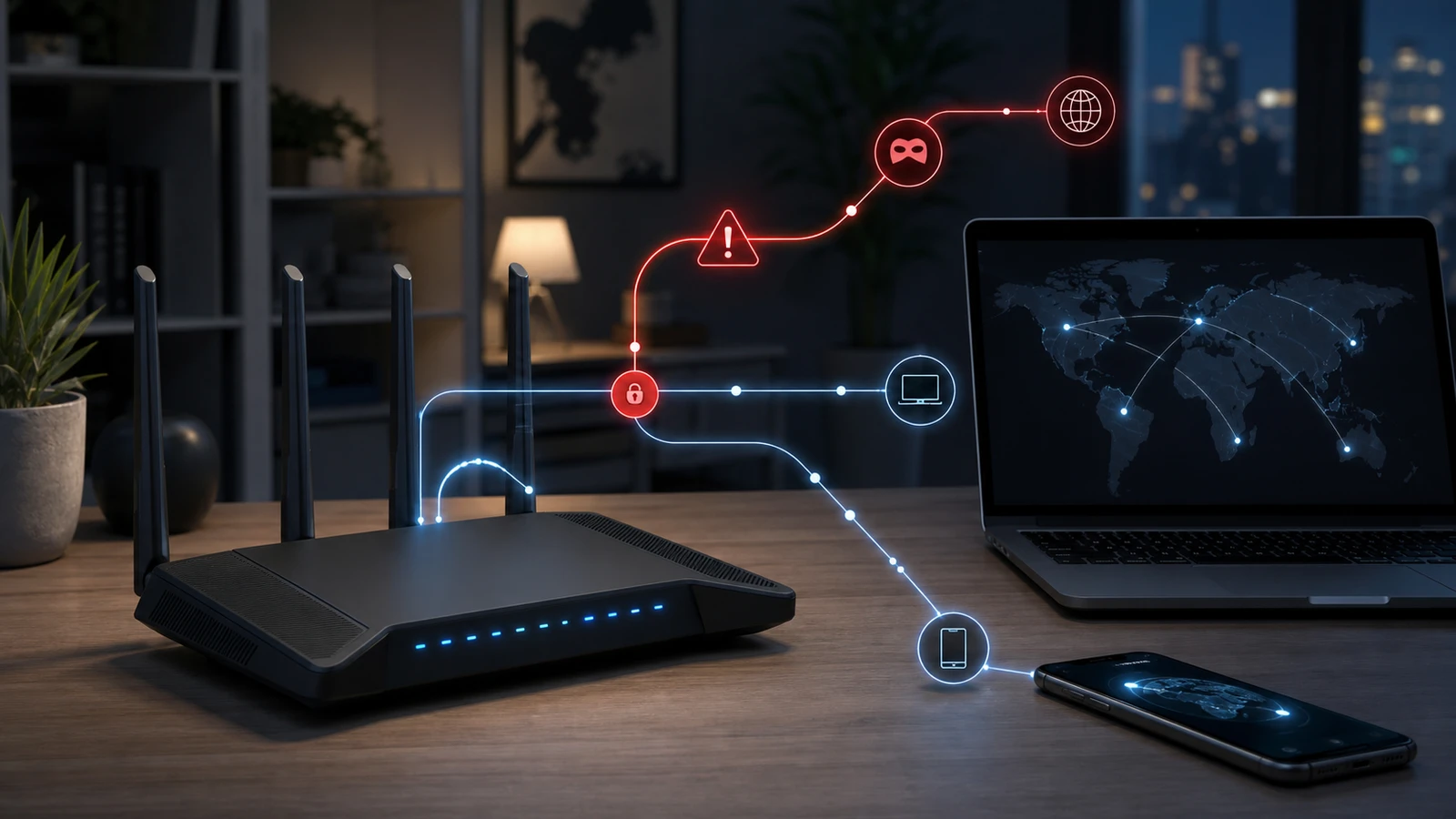
On April 7, 2026, the UK’s National Cyber Security Centre said Russian state actor APT28 had been exploiting vulnerable small-office and home office routers to overwrite DHCP/DNS settings, redirect traffic through attacker-controlled DNS servers, and harvest passwords and authentication tokens through adversary-in-the-middle attacks.
For home users, the important part is this: once the router’s DNS settings are changed, the risk can spread to the phones, laptops, tablets, and work devices behind it, because those devices often inherit DNS settings from the router automatically.
What the NCSC actually documented
The NCSC says APT28’s activity is opportunistic at scale: the actor gains access to a broad pool of vulnerable routers, rewrites DNS settings, and then filters for traffic or users worth targeting further.
The alert specifically says the actor:
- altered DHCP DNS settings on compromised routers
- pointed the router’s primary DNS server to attacker-controlled infrastructure
- let downstream devices inherit those DNS settings
- redirected traffic for specific services to adversary-in-the-middle infrastructure
- attempted to steal passwords, OAuth tokens, and other credentials
That last point matters because this is not just about slowing down your Wi-Fi or knocking devices offline. The practical risk is credential theft and traffic interception.
Why Outlook users should pay special attention
The NCSC’s targeted-domain list includes:
autodiscover-s.outlook.comimap-mail.outlook.comoutlook.live.comoutlook.office.comoutlook.office365.com
That does not mean only Microsoft users are at risk. The NCSC also notes additional non-Outlook domains. But it does make the warning especially useful for households where a home router also sits under:
- Outlook or Microsoft 365 mail
- family Microsoft accounts
- remote-work laptops
- small-business home-office setups
Which TP-Link models were named
The NCSC says the TP-Link list is not exhaustive, but it explicitly names models including:
- MR6400
- Archer C5
- Archer C7
- WDR3500
- WDR3600
- WDR4300
- MR3420
- WR1043ND
- WR840N
- WR841N and WR841ND variants
- WR842N and WR842ND
- WR845N
- WR941ND
The alert also says WR841N was one of the exploited models and was likely abused through CVE-2023-50224.
Why TP-Link’s own advisory matters
On May 12, 2026, TP-Link published its own advisory on CVE-2023-50224 and said multiple legacy TP-Link routers and access points may be affected.
TP-Link’s advisory makes three points that home users should not miss:
- many of the affected products are already End-of-Life
- several models remain unpatched
- the listed legacy devices do not support cloud-based or automatic firmware updates
That last point matters because a household can keep using an old router for years and assume “no alerts” means “no issue,” when the real problem is simply that the device stopped receiving background maintenance long ago.
The owner checklist
1. Identify the exact router model and hardware revision
Do not stop at “I have a TP-Link router.”
Check:
- the exact model name
- the hardware revision
- the installed firmware version
Both the NCSC and TP-Link materials are model-specific. One revision can have a different support path from another.
2. Treat remote management as a high-priority check
The NCSC says management interfaces must never be exposed to the internet.
For a home network, verify:
- remote administration is disabled unless you truly need it
- the admin password is unique and strong
- the router is not still using an old default or reused password
If you have ever enabled remote admin “just temporarily,” this is the moment to check whether it was actually turned back off.
3. Compare your router against the live TP-Link advisory
If your model appears in TP-Link’s May 12 advisory:
- install the latest supported firmware if a fix exists
- do not assume the router updated itself
- treat unpatched or partially patched legacy status as a replacement signal, not a comfort signal
If your exact model is not clearly on a maintained support path, replacement is usually something to evaluate seriously instead of assuming the risk can be deferred indefinitely.
4. Check whether DHCP or DNS settings changed unexpectedly
The NCSC says APT28 altered router DHCP DNS settings to redirect traffic.
That makes the router admin page important even if the network “still works.” If the router shows unfamiliar DNS servers or unexplained configuration changes, stop treating the problem as routine troubleshooting.
5. Harden the accounts that sit behind the router
The NCSC explicitly recommends multi-factor authentication, including 2-step verification and 2-factor authentication, to reduce the impact of stolen passwords.
If the same home network carries:
- Outlook or Microsoft 365 accounts
- banking logins
- family email accounts
- remote-work sessions
then MFA deserves priority as a baseline mitigation. It can reduce the impact if passwords were already exposed.
6. Replace legacy gear that no longer earns trust
This is not a blanket statement that every TP-Link router must go.
It is a narrower decision rule:
- if the router is legacy
- if firmware support is unclear, manual-only, partial, or gone
- if the device sits under important email or work traffic
then replacement deserves near-term review instead of being deferred indefinitely.
What this alert does and does not mean
This alert does not prove your router was compromised.
It also does not mean only TP-Link hardware matters, since the NCSC also describes activity involving a smaller set of MikroTik devices.
It does mean:
- router admin exposure matters
- legacy support status matters
- DNS settings matter
- account protection behind the router matters
The useful home-user response is not panic. It is a disciplined check of model, firmware, admin exposure, DNS settings, and replacement viability.
Sources and further reading
- NCSC: APT28 exploit routers to enable DNS hijacking operations
- NCSC: Protect your management interfaces
- NCSC: MFA for your corporate online services
- TP-Link advisory: CVE-2023-50224 impact on legacy routers and access points
- TP-Link End-of-Life product list
- Related: Home Router Security Checklist, TP-Link Legacy Router Advisory: Keep or Replace?, and Router Buying Checklist
Frequently asked questions
- If my internet still works, can I assume the router is fine?
- No. The NCSC says the attack works by changing DNS behavior while keeping much of the traffic flow functional. A working internet connection is not proof that the router's trust boundary is intact.
- Does this affect only TP-Link routers?
- No. The NCSC also describes activity involving some MikroTik devices. This article focuses on TP-Link because the public consumer model lists and follow-up vendor advisory are clearer there.
- If my router is end-of-life but seems stable, should I still think about replacement?
- Yes. TP-Link says many affected legacy devices are end-of-life and do not support automatic firmware updates. Stability is not the same thing as an ongoing security-support path.
Last updated June 11, 2026. This article summarizes the NCSC and TP-Link materials above, not incident-response, forensic, legal, or insurance advice. Re-check the live NCSC alert, TP-Link advisory, EOL list, and model-specific download pages before acting because remediation status and guidance can change. If you suspect active compromise, use the vendor’s live support and qualified technical help rather than treating a content guide as a cleanup playbook. See our editorial policy for methodology and corrections.
The Signal Brief
One useful dispatch each week.
One sharp take, three things worth reading, and the week's buying signals.